
Beyond the pull: a glimpse into 2026
By 2026, the most basic kitchen elements like cabinet pulls will likely be connected. When you reach for cereal, a handle can pulse red to show the box is nearly empty, then sync that data to a delivery app. This isn't a distant concept; the sensors exist now, even if the integration is still messy.
Right now, we’re at a point where the promise of a truly connected kitchen often outpaces reality. There are smart appliances, yes, but integrating them seamlessly—and making them genuinely useful—remains a challenge. The gap lies in the smaller details, the things we interact with dozens of times a day. That’s where smart cabinet hardware comes in, offering a surprisingly impactful entry point into the broader IoT ecosystem.
This isn’t about replacing functional pulls and knobs with gimmicks. It’s about adding a layer of intelligence to a familiar object, turning a simple act like opening a cupboard into an opportunity for convenience, efficiency, and even security. It’s a gradual evolution, but one that I believe will fundamentally change how we interact with our kitchens.
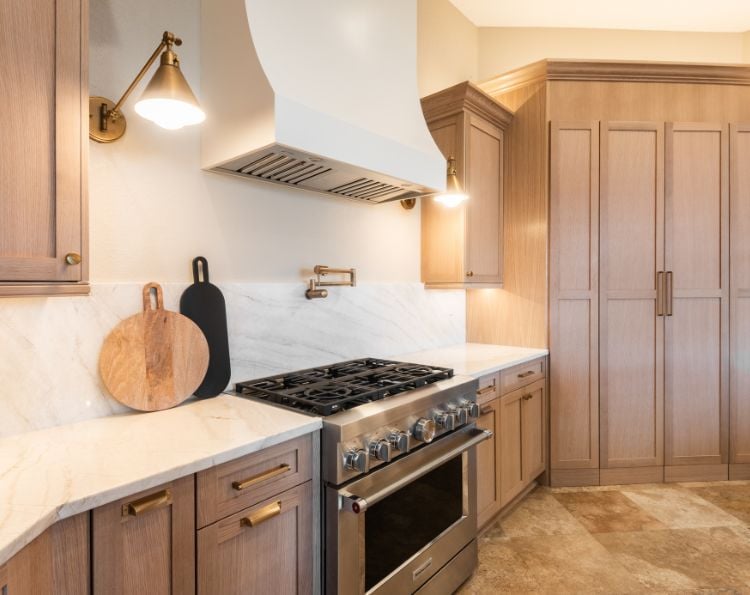
Defining smart hardware
The term "smart’ gets thrown around a lot, but when we talk about cabinet hardware, it encompasses a range of functionalities. It’s not simply about adding an LED light, though lighting is certainly part of it. We"re looking at features like integrated displays, access control, inventory tracking, and even subtle environmental sensors.
At its base, smart cabinet hardware relies on a network connection. Bluetooth is currently the most common, offering a low-power, short-range solution for connecting to a smartphone or smart home hub. Wi-Fi provides broader connectivity but consumes more power. Zigbee is another contender, known for its mesh networking capabilities and energy efficiency. Ultra-wideband (UWB) is interesting, promising precise location tracking, but its adoption in this space seems less certain by 2026—the cost and infrastructure requirements are still significant.
Beyond the connection method, the "smart" aspect comes from embedded sensors and microprocessors. These components gather data and respond to user input. A pull might contain a weight sensor to track inventory, a fingerprint scanner for security, or a capacitive sensor to detect a hand approaching and activate lighting. The real value, though, lies in how this data is used and integrated with other smart home systems.
Inventory tracking and the always-stocked pantry
Inventory management is the most practical use for this tech. Pulls equipped with strain gauges can measure the weight of the shelf behind them. When the weight drops, your digital pantry updates. I expect we'll see traditional hardware brands start embedding these sensors into standard designs by 2026 to avoid the 'out of coffee' surprise.
RFID technology is another possibility, though it requires tagging individual items. This could be useful for things like spices or frequently used ingredients. The data collected can then be synced with grocery delivery services like Instacart or Amazon Fresh. Some systems could even predict when you’ll need to reorder based on your consumption patterns.
However, this level of data collection raises privacy concerns. Knowing exactly what’s in someone’s pantry is information that could be valuable to marketers, or even fall into the wrong hands. Robust security measures and clear user control over data sharing will be essential for building trust. We need to think carefully about how this technology is implemented to protect consumer privacy.
Here's how it could work: a smart pull connected to an app. The app tracks weight changes. When the weight drops below a threshold, it automatically adds the item to a shopping list on Amazon or another service. Potential integrations include IFTTT for custom automations – "if cereal weight is low, order from Thrive Market."
- Strain gauges in pulls to monitor shelf weight
- RFID tagging of pantry items
- Integration with grocery delivery services (Instacart, Amazon Fresh)
- Predictive reordering based on consumption patterns
Featured Products

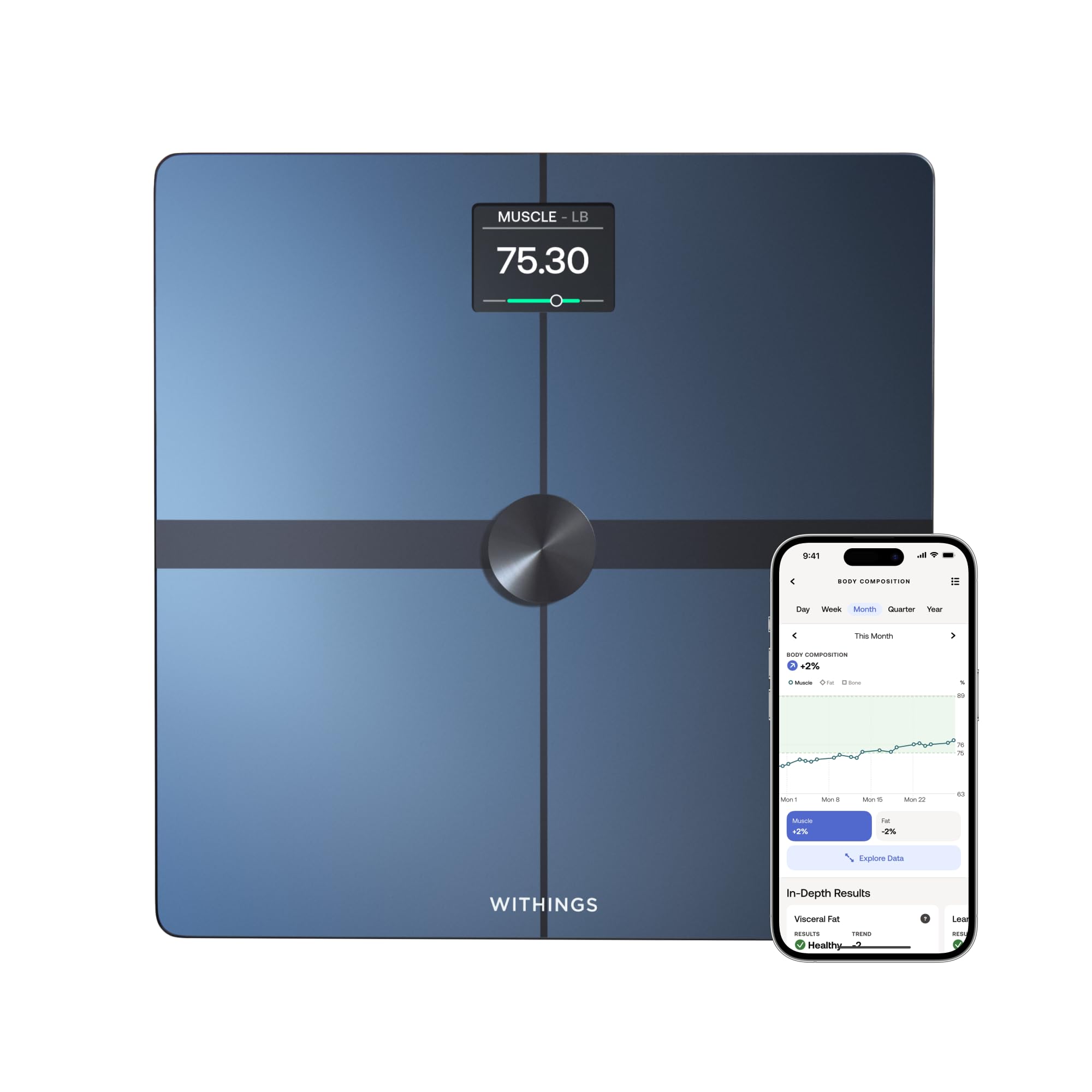
Tracks body weight, BMI, body fat, and muscle mass · Connects via Bluetooth to a health monitoring app · Supports up to 500 lbs and features a large 11.8" platform
This smart scale seamlessly integrates into your kitchen cabinets, bringing IoT convenience and data tracking to your fingertips.

Calculates nutritional information for 19 nutrients · Connects to a free app for tracking calories and macros · Premium stainless steel design with an 11lb capacity
This smart scale seamlessly integrates into your kitchen cabinets, bringing IoT convenience and data tracking to your fingertips.
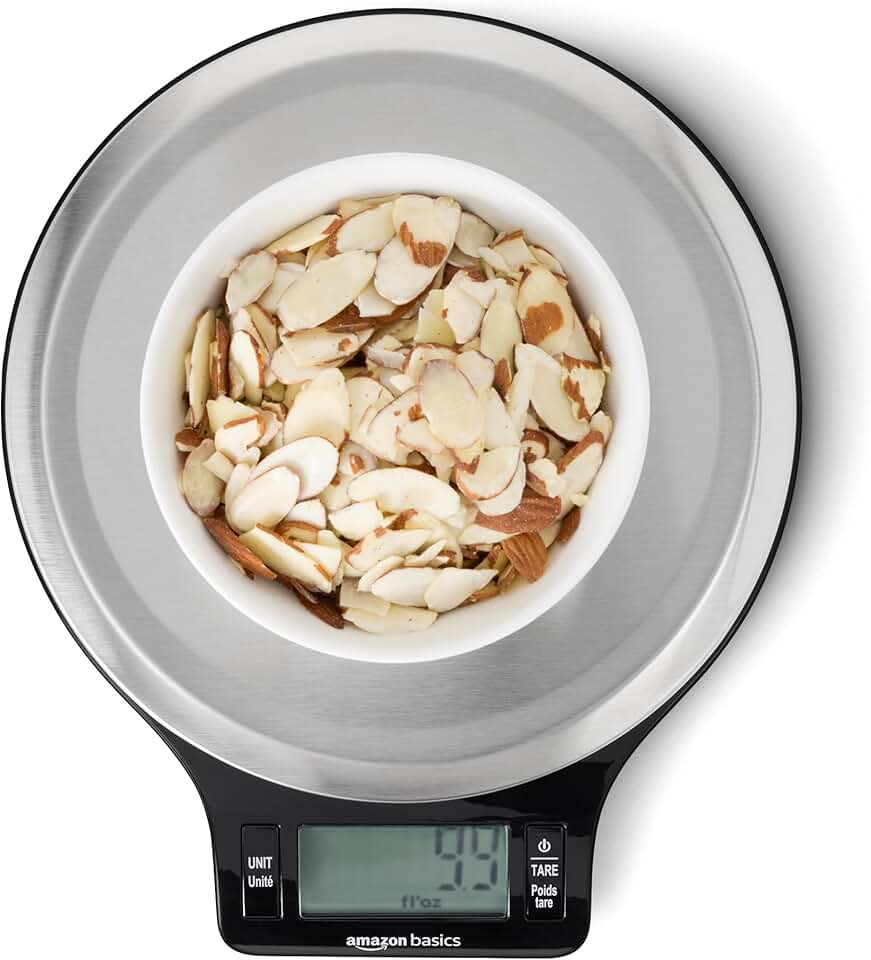
Measures weight in grams, ounces, pounds, and kilograms · Features a convenient tare function for accurate measurements · Includes batteries and has a capacity of up to 11 pounds
While a dedicated smart cabinet scale with API integration isn't readily available, this reliable Amazon Basics scale offers essential functionality for precise kitchen measurements, laying the groundwork for future smart integrations.
Measures weight in grams, ounces, pounds, and kilograms · Features a convenient tare function for accurate measurements · Includes batteries and has a capacity of up to 11 pounds
This smart scale seamlessly integrates into your kitchen cabinets, bringing IoT convenience and data tracking to your fingertips.
As an Amazon Associate I earn from qualifying purchases. Prices may vary.
Security and access control
Beyond convenience, smart pulls offer potential security benefits. Think about cabinets containing medications, cleaning supplies, or other potentially dangerous items. Smart hardware could restrict access to these areas, preventing accidental ingestion or misuse. This goes beyond traditional child locks.
Keypads on the pull itself are the most likely security solution. While fingerprint scanners are popular in door locks, they are often too bulky for a slim drawer handle. Manufacturers are currently testing capacitive touch surfaces that recognize specific tap patterns instead of biometric data.
Integration with home security systems is another possibility. A smart pull could trigger an alarm if someone attempts to force it open or access a restricted cabinet without authorization. This adds another layer of security to your home, particularly for vulnerable items.
Lighting and ambiance
Smart pulls move lighting from the underside of the cabinet directly into your hand. Proximity sensors can trigger a soft glow as you walk into the kitchen at night, removing the need for harsh overhead lights. This works best with modern, hollow-channel pulls that have room for thin LED strips.
Color-changing LEDs open up possibilities for creating different moods and atmospheres. You could set the lighting to a warm white for everyday use, or switch to a cool blue for a more modern look. Voice control integration would allow you to adjust the lighting with a simple command. “Alexa, set the kitchen cabinet lights to blue.”
I’m also curious about the potential for inductive charging. Could the pull itself wirelessly charge your phone or other devices? It’s a long shot, but it’s an interesting concept that could add significant value. The challenge would be integrating the charging technology without making the pull too bulky.
Cost and future trends
As of late 2024, smart cabinet hardware is still a relatively niche market, and prices reflect that. A single smart pull can cost anywhere from $50 to $200 or more, depending on the features and functionality. By 2026, I expect prices to come down as the technology matures and production volumes increase.
Several factors will drive down costs. Increased competition, economies of scale, and advancements in sensor technology will all contribute to lower prices. We may also see the development of more affordable, modular systems that allow consumers to add functionality as needed.
Looking further ahead, I’m excited about the potential of energy harvesting. Imagine a pull that generates its own power from the simple act of opening and closing the cabinet. This would eliminate the need for batteries or wiring, making smart hardware even more convenient and sustainable. More efficient wireless communication protocols will also be crucial for reducing power consumption and extending battery life.
No comments yet. Be the first to share your thoughts!