
The shift toward connected hardware
Smart home tech has moved into the kitchen. We're seeing a shift from flashy gadgets to hardware that actually helps with the heavy lifting of daily cooking and cleaning.
Early attempts at smart kitchens faltered, often focusing on complex, expensive appliances like refrigerators that tried to do too much. These efforts frequently resulted in devices that were more trouble than they were worth. The focus is shifting, and I believe a more pragmatic approach is taking hold – one that centers on improving existing components rather than reinventing the entire space.
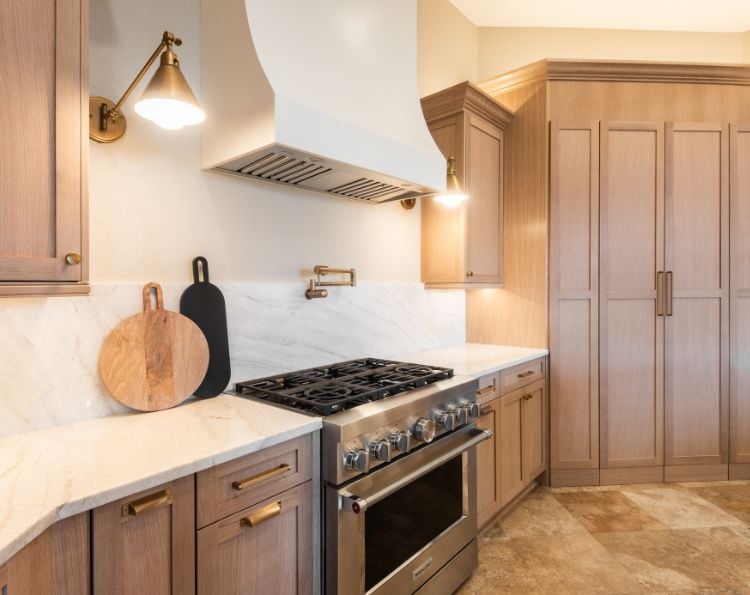
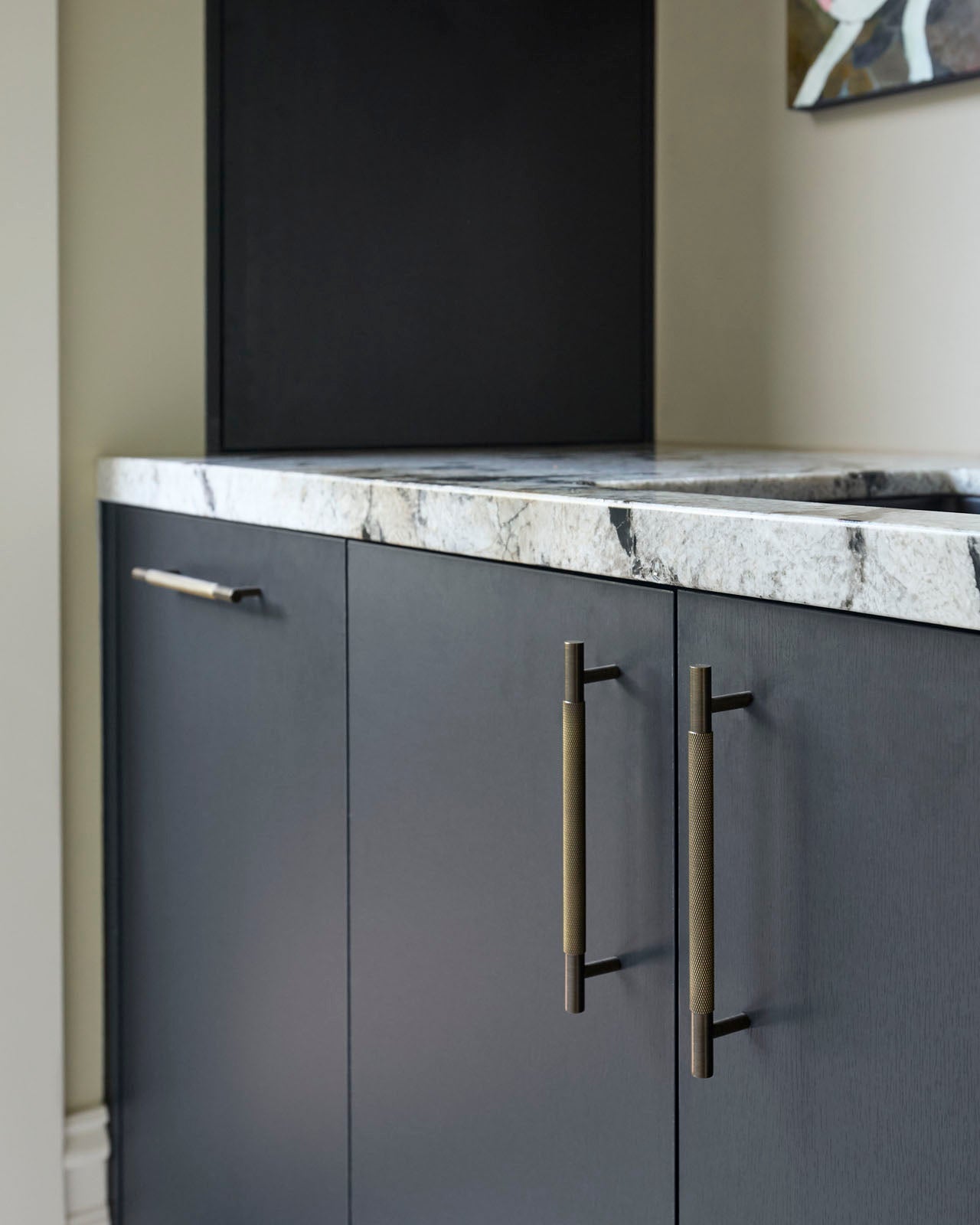
Cabinetry, often overlooked, represents a surprisingly fertile ground for innovation. Unlike a smart fridge that requires constant software updates and complex sensors, a smart pull or handle can deliver tangible benefits with a relatively simple design. The ability to open cabinets with a touch, or even automatically, addresses a real usability issue, particularly for those with limited mobility or full hands. This is where the next wave of kitchen tech will likely make its mark.
The market is already full of high-quality brass and steel hardware. Adding tech to these existing forms is the next logical step for manufacturers who already have the distribution networks in place.
Defining smart hardware
Defining 'smart' cabinet hardware requires looking beyond simple motorized operation. While automated opening is a core feature, the potential extends far beyond that. Integrated lighting, activated by proximity sensors, can illuminate cabinet interiors for enhanced visibility. Access control, using fingerprint scanners or digital codes, can secure valuable contents.
More advanced concepts include weight sensors within cabinets to track inventory, automatically generating shopping lists when supplies run low. This kind of integration moves beyond simple convenience and into genuine problem-solving territory. We're also seeing development in haptic feedback, providing subtle confirmations when a cabinet is securely closed.
The technology powering these features relies on a variety of wireless protocols. Bluetooth is common for direct smartphone control, while Wi-Fi enables integration with existing home networks. Zigbee offers a lower-power alternative, suitable for battery-operated sensors. The role of Matter, Apple's interoperability standard, is still evolving – its impact on cabinet hardware remains to be seen, but the promise of seamless integration across ecosystems is appealing.
- Motorized opening for touchless access
- Integrated Lighting: Proximity-activated illumination.
- Access Control: Secure storage with fingerprint or code entry.
- Internal weight sensors for inventory
- Haptic Feedback: Confirmation of secure closure.
Smart Hardware Features
- Access Control - Utilizing biometric scanners (fingerprint recognition) integrated directly into cabinet pulls for secure storage of valuables or controlled access for family members. Products like the Yale Assure Lock SL offer potential integration pathways, though currently focused on doors, the technology is adaptable.
- App-Based Management - Control and monitoring of cabinet access via smartphone applications. Companies like Kwikset and Schlage already provide app control for locks, suggesting a feasible expansion into cabinet hardware with similar functionality.
- Touchless Automated Opening - Infrared sensors or capacitive touch technology enabling cabinet doors and drawers to open with a wave of the hand, promoting hygiene and convenience. Similar technology is present in automatic faucets and soap dispensers.
- Voice-Activated Operation - Integration with voice assistants (Amazon Alexa, Google Assistant) allowing for hands-free cabinet opening and closing. This relies on existing smart home ecosystems and compatible hardware.
- Integrated Ambient Lighting - LED strips incorporated into cabinet pulls or handles, providing subtle illumination for enhanced visibility and aesthetic appeal. Products from companies like Philips Hue offer addressable lighting control that could be adapted.
- Weight-Sensing Inventory Management - Internal weight sensors within cabinets to track food or supply levels, potentially alerting users when items are running low. Scale manufacturers like OHAUS offer precision sensors that could be integrated.
- Unauthorized Access Alerts - Sensors detecting forced entry or unexpected cabinet openings, triggering notifications to a homeowner’s smartphone or security system. This builds on existing security system sensor technology.
- RFID-Based Inventory Tracking - Utilizing RFID tags on stored items to automatically track inventory and expiration dates, streamlining kitchen management. Zebra Technologies provides RFID solutions applicable to inventory control.
Installation and compatibility
Installing smart cabinet hardware isn’t necessarily a task for a professional, but it’s not always a straightforward DIY project either. The complexity depends on the specific features and the existing cabinet structure. Basic motorized pulls can often be installed with standard tools, similar to traditional hardware. However, systems with integrated sensors or access control may require more specialized knowledge.
Power requirements are a key consideration. Some systems run on batteries, while others require a wired connection to a power source. Running wires can be challenging, particularly in older homes. Wireless options offer greater flexibility but require regular battery replacements or recharging. Compatibility with different cabinet materials – wood, laminate, metal – is also important.
Older cabinets may require modifications to accommodate smart hardware. Reinforcing the cabinet frame may be necessary to support the weight of motorized mechanisms. Ensuring proper alignment is crucial for smooth operation. Troubleshooting can involve checking wiring, calibrating sensors, and updating software.
It’s realistic to expect some level of tinkering. These are relatively new technologies, and unforeseen issues are likely to arise. Detailed instructions and readily available customer support are essential. Don't assume a direct replacement; you may need to adjust existing cutouts or drill new ones.
- Assess Power Requirements: Battery or wired connection?
- Check Cabinet Compatibility: Material and structural integrity.
- Review Installation Instructions: Thoroughly understand the process.
- Gather Necessary Tools: Standard and potentially specialized tools.
- Prepare for Troubleshooting: Be ready to address potential issues.
Featured Products

Hands-free operation via foot pedal activation · Adhesive mounting for easy installation without tools · Designed for cabinet trash bins
This product offers a hygienic, hands-free solution for accessing cabinet trash bins, enhancing kitchen sanitation and convenience.

Rechargeable battery with long-lasting performance · Adjustable color temperature and brightness levels · Motion sensor for automatic activation and energy saving
These under-cabinet lights provide customizable illumination with motion-sensing technology, improving visibility and ambiance in kitchen spaces.

Wi-Fi enabled motion detection with instant app, SMS, and email alerts · No subscription required, rechargeable battery with extended life · Versatile application for safes, cabinets, and drawers
The Kini Safe Alert offers robust security monitoring for cabinets and drawers, providing real-time notifications for enhanced peace of mind.
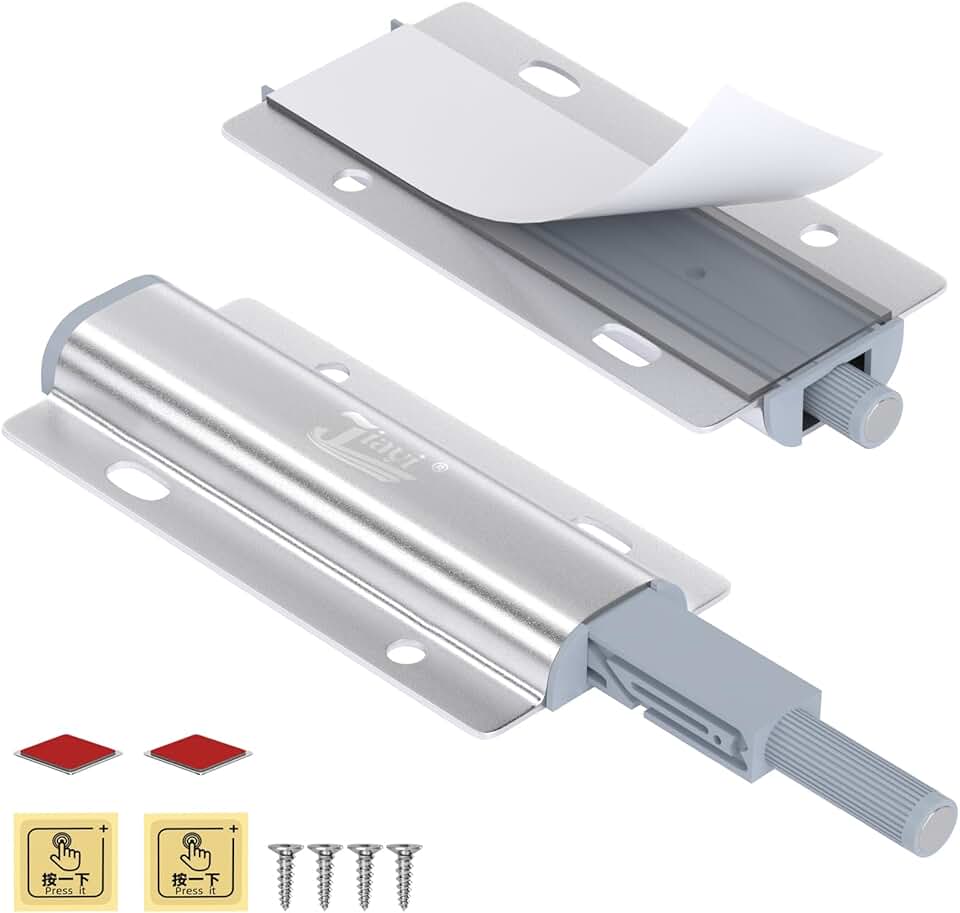
Magnetic push-to-open mechanism for seamless door closure · Allows for handle-less cabinet designs · Includes two latches per pack for multiple applications
This push-to-open latch system enables a clean, modern aesthetic by allowing for handle-free cabinet doors, integrating technology subtly.

Plug-in design for straightforward installation · Linkable feature to extend lighting coverage · Adjustable color temperature (3000K, 4000K, 5000K)
The Leetdud under-cabinet lighting provides versatile, plug-in illumination with adjustable color temperatures, ideal for task lighting in various kitchen areas.
As an Amazon Associate I earn from qualifying purchases. Prices may vary.
Security and Privacy Considerations
Connecting cabinet hardware to the internet introduces potential security and privacy risks. These devices collect data – even if it’s just usage patterns – and that data needs to be protected. A compromised system could potentially allow unauthorized access to your home network or even physical access to your cabinets.
Manufacturers are taking steps to mitigate these risks, including implementing encryption, requiring strong passwords, and providing regular software updates. However, no system is foolproof. It’s crucial to choose products from reputable companies with a proven track record of security. I’m concerned about the potential for vulnerabilities in less established brands.
Consumers can also take steps to protect their privacy. Regularly update the firmware on your smart hardware, use a strong and unique password for your Wi-Fi network, and be mindful of the permissions you grant to connected apps. Consider segmenting your home network to isolate smart devices from sensitive data.
The fear of being 'listened to' is legitimate. While unlikely that a cabinet pull is actively recording conversations, the potential for data collection is real. Transparency from manufacturers regarding data usage is paramount.
- Encryption: Protecting data transmission.
- Strong Passwords: Preventing unauthorized access.
- Regular Updates: Patching security vulnerabilities.
- Network Segmentation: Isolating smart devices.
Cost Breakdown: From Entry-Level to Luxury
The cost of smart cabinet hardware varies widely depending on the features and complexity of the system. Basic motorized pulls can start around $50-$100 per pull, while more advanced systems with integrated lighting and access control can easily exceed $200-$300 per pull. Installation costs can add another $50-$200 per cabinet, depending on the complexity of the wiring and modifications required.
A complete smart cabinetry system, including all the necessary hardware and software, can easily cost several thousand dollars for a typical kitchen. This doesn’t include the cost of integrating with a smart home ecosystem, which may require purchasing a hub or subscribing to a cloud service. It's a significant investment.
Maintenance fees are another potential expense. Some systems may require periodic servicing to ensure smooth operation. Battery replacements are an ongoing cost for wireless devices. Considering the total cost of ownership is crucial before making a purchase.
2026 Predictions: Where is This Heading?
By 2026, I expect to see a significant increase in the adoption of smart cabinet hardware, driven by falling prices and improved integration with existing smart home ecosystems. Artificial intelligence will play a larger role, enabling features like automated inventory management and personalized lighting schemes based on user preferences.
Voice control will become more prevalent, allowing users to open cabinets and access contents with simple voice commands. We may also see the emergence of new materials and designs, blurring the line between functionality and aesthetics. Expect more subtle, integrated solutions – less about bulky add-ons and more about seamlessly integrated technology.
Adoption depends on price. If these stay at a $200 premium per handle, they'll remain a luxury niche. They need to be as easy to install as a standard deadbolt before most people will bother.
I anticipate a move towards more modular systems, allowing homeowners to customize their smart kitchen to their specific needs and budget. The ability to add or remove features as needed will be a major selling point. Despite the challenges, the potential benefits – convenience, efficiency, and personalization – are too significant to ignore. It’s a space to watch closely.
Qualitative Comparison of Smart Cabinet Hardware Setups (Projected 2026)
| Feature Set | Estimated Price Range | Installation Difficulty | Security Level | Typical Functionality |
|---|---|---|---|---|
| Basic | $ - $$ | Easy | Low | Remote locking/unlocking via Bluetooth, simple status indicators (open/closed). |
| Intermediate | $$ - $$$ | Moderate | Medium | Voice control integration (limited ecosystems), proximity-based opening, basic usage tracking. |
| Advanced | $$$ - $$$$ | Moderate | High | Full smart home ecosystem integration, advanced usage analytics, customizable access permissions, potential for integration with inventory management systems. |
| Basic (Wired) | $ - $$ | Hard | Low | Reliable connection, remote locking via dedicated hub, limited feature set due to wiring constraints. |
| Intermediate (Wireless) | $$ - $$$ | Moderate | Medium | Wireless connectivity (Wi-Fi/Zigbee), broader smart home integration than basic, potential for over-the-air updates. |
| Advanced (Wireless) | $$$ - $$$$ | Moderate | High | Robust wireless security protocols, advanced sensor integration (weight, contents), predictive maintenance alerts. |
| Modular | $$ - $$$$ | Moderate | Medium | User-configurable feature sets, allowing customization of functionality and security level based on individual needs. |
Illustrative comparison based on the article research brief. Verify current pricing, limits, and product details in the official docs before relying on it.
No comments yet. Be the first to share your thoughts!