
Smart hardware in 2026
Choosing knobs and pulls used to be a simple matter of matching finishes. By 2026, these parts are becoming active tech components. We are moving toward hardware that handles the heavy lifting of kitchen organization through sensors and automation rather than just looking good on a drawer front.
The promise is compelling: voice-activated cabinets, touchless operation, integrated lighting, and even security features. These aren’t futuristic concepts anymore, but technologies actively being developed and refined. The Knob Shop and Kraftmaid are already showcasing designs that hint at this future, even if full integration is still a few years off. The early adopters will be those willing to invest in a truly connected kitchen.
However, significant hurdles remain. Cost is a major factor. Consumer hesitation regarding data privacy and security is another. And, frankly, the reliability of these systems – ensuring they work consistently and without frustrating glitches – is paramount. The success of smart cabinet hardware will depend on overcoming these challenges and demonstrating tangible benefits that outweigh the initial investment and potential concerns.
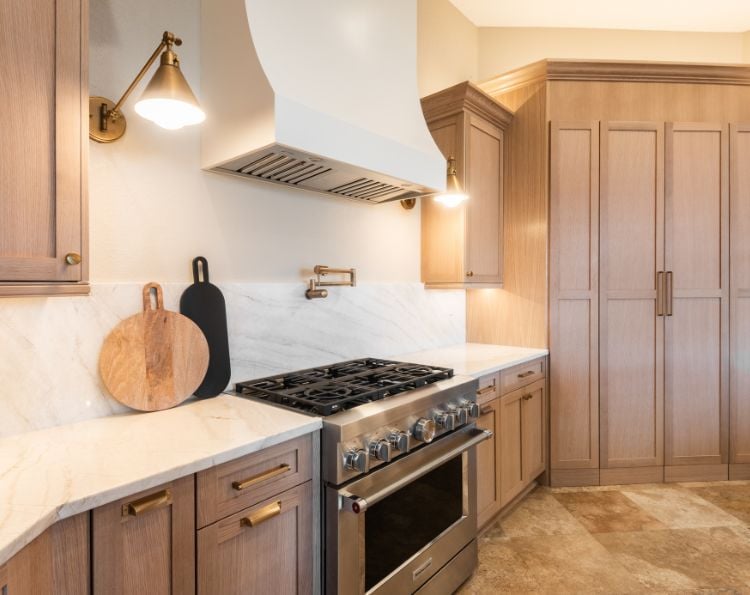
Talking to your kitchen
Voice control is arguably the most intuitive interface for smart cabinet hardware. Imagine simply saying 'Open pantry' and having the doors swing wide, or 'Cabinet lights on' to illuminate the interior. Compatibility with major voice assistants – Amazon Alexa, Google Assistant, and Apple Siri – will be essential for widespread adoption. The goal is seamless integration with the smart home ecosystem.
Potential use cases extend beyond simple opening and closing. You could program "pantry mode’ to display a list of items as you open the cabinet, helping with inventory management. Or set up custom commands like ‘baking mode" to activate specific lighting and potentially even preheat an oven. Kraftmaid is already exploring similar integrations with their connected home offerings.
Microphones in the kitchen bring up obvious privacy headaches. Beyond data leaks, there is the practical issue of physics: a voice assistant has to hear you over a running faucet and a sizzling pan. If you have to shout 'open pantry' three times, the technology is a failure.
The underlying technology relies on cloud-based voice processing and a secure connection between the hardware and the voice assistant. Expect to see hardware manufacturers partnering with established tech companies to leverage their expertise in these areas. The future may even include localized voice processing, minimizing reliance on the cloud and enhancing privacy.
- Alexa integration for Amazon-heavy households
- Google Assistant for those using Nest ecosystems
- Siri Support: Voice control via Apple's ecosystem.
Touchless operation and hygiene
Beyond voice control, touchless operation offers a compelling benefit, particularly in a post-pandemic world. Proximity sensors, gesture control, and even foot-activated systems are being explored as alternatives to traditional handles and knobs. This isn’t just about hygiene; it’s about accessibility for individuals with limited mobility or dexterity.
Several sensor technologies are vying for dominance. Infrared sensors are relatively inexpensive and reliable, but can be susceptible to false triggers. Capacitive sensors offer more precise detection, but are more sensitive to environmental factors. Ultrasonic sensors, like those used in some parking assist systems, are gaining traction due to their lower cost and wider detection range. I'm curious to see if ultrasonic sensors become more common due to their lower cost.
Ditching physical pulls for sensors changes how a kitchen looks. Early hardware sets are bulky, but the goal is to hide the tech entirely within the cabinet frame. We'll see if budget retailers can strip the cost down enough for standard residential builds.
Power consumption is a key consideration for touchless systems. Sensors require a constant power supply, which can be a challenge in cabinets without easy access to electrical outlets. Battery-powered sensors are an option, but require regular maintenance and replacement.
Integrated Lighting and Displays
Imagine opening a cabinet and having integrated LED lighting automatically illuminate the contents. Or a small display embedded in the cabinet door showing a list of items, recipes, or even acting as a smart home control panel. These are the possibilities offered by integrating lighting and displays into cabinet hardware.
The benefits are clear: improved visibility, enhanced convenience, and a more modern aesthetic. Lighting can be triggered by opening/closing the cabinet, voice commands, or even motion sensors. Displays can provide valuable information at a glance, streamlining kitchen tasks.
However, significant technical challenges remain. Power delivery is a major constraint. Running wiring to each cabinet can be complex and expensive, especially in existing kitchens. Wireless power transfer is a potential solution, but is still in its early stages of development. The heat generated by LEDs and displays also needs to be carefully managed.
It feels like power delivery will be a big constraint for these features. The cost of integrated displays is also a factor. While prices are falling, high-resolution displays are still relatively expensive. Expect to see early adopters focusing on smaller, simpler displays that provide basic information.
Security Features: Locking Down Your Kitchen
Smart cabinet hardware can also enhance kitchen security. Electronically locking cabinets – particularly those containing medications, cleaning supplies, or other hazardous materials – is a growing trend. This is especially important for households with young children or individuals with cognitive impairments.
Integration with home security systems is another key feature. Smart cabinets can send alerts if they are opened unexpectedly, providing an extra layer of protection. Remote locking and unlocking via a smartphone app adds convenience and control.
However, the potential for hacking is a serious concern. Robust security protocols are essential to prevent unauthorized access. Manufacturers need to employ encryption, authentication, and other security measures to protect against cyberattacks. Regular security updates are also crucial to address vulnerabilities as they are discovered.
The cost of security features will likely add to the overall price of smart cabinet hardware. However, for many homeowners, the peace of mind offered by enhanced security will be worth the investment.
Installation and Retrofitting: DIY or Pro?
Installing smart cabinet hardware presents unique challenges compared to traditional hardware. Wiring requirements, power sources, and potential compatibility issues all need to be carefully considered. The question is: is it a DIY project or does it require a professional?
Simple replacements – swapping out a traditional knob for a smart knob – may be within the capabilities of a handy homeowner. However, more complex installations – such as integrating lighting, displays, or security features – will likely require the expertise of a qualified electrician or cabinet installer.
Retrofitting existing cabinets can be particularly challenging. Running wiring through walls and cabinets can be difficult and time-consuming. Power outlets may need to be added or relocated. Compatibility with existing cabinet structures is another consideration. I suspect many of these systems will require professional installation, at least initially.
The time and skill required will vary depending on the complexity of the installation. A simple knob replacement might take 30 minutes, while a full-scale smart cabinet upgrade could take several days. Expect to pay a premium for professional installation, but it can save you time, frustration, and potential safety hazards.
DIY vs. Professional Installation: Smart Cabinet Hardware
| Factor | DIY Installation | Professional Installation |
|---|---|---|
| Cost | Generally lower; primarily the cost of tools (if not already owned) and the hardware itself. | Higher; includes labor costs, potentially a service call fee, and hardware costs. |
| Time Commitment | Significant; can range from several hours to a full weekend depending on the number of cabinets and complexity of wiring/integration. | Minimal; typically completed within a day, depending on the scope of the project. |
| Skill Level Required | Moderate to High; requires familiarity with basic carpentry, electrical wiring (for powered options), and potentially smart home system integration. | Low; professional installers possess the necessary expertise and experience. |
| Risk of Damage | Moderate to High; potential for damage to cabinets, doors, or hardware during installation, particularly with drilling or wiring. | Low; professionals are experienced in minimizing damage and typically carry insurance. |
| Warranty Implications | Hardware warranty may be voided if installation is not performed correctly. Smart home system integration issues may not be covered under hardware warranty. | Professional installation often includes a warranty on the labor, providing additional protection. Hardware warranty remains valid. |
| Complexity of Integration | High; integrating voice control or touchless features requires configuring smart home hubs, potentially writing custom routines, and troubleshooting connectivity issues. | Moderate; professionals can handle the smart home integration process, ensuring compatibility and proper functionality. |
| Tool Requirements | Drill, screwdriver set, measuring tape, level, wire strippers (for powered options), potentially a stud finder and multimeter. | Specialized tools for precise installation and wiring, often including power drills, impact drivers, and voltage testers. |
Illustrative comparison based on the article research brief. Verify current pricing, limits, and product details in the official docs before relying on it.
Hardware sets to watch in 2026
While a definitive 'top' list is difficult to establish this far out, several manufacturers are demonstrating promising innovations in smart cabinet hardware. Here are a few to watch in 2026, focusing on features and potential rather than concrete pricing (which is still largely unavailable).
InnoTech Cabinets: This company is heavily invested in voice-activated cabinet systems, boasting seamless integration with all major voice assistants. Their system focuses on pantry organization, allowing users to query inventory via voice command. They’re prioritizing security with end-to-end encryption.
SmartLiving Hardware: Specializing in touchless operation, SmartLiving utilizes ultrasonic sensors for reliable and hygienic cabinet access. Their designs are minimalist and aim to blend seamlessly with modern kitchen aesthetics. They are particularly focused on accessibility features for users with disabilities.
Lumina Cabinetry: Lumina is pushing the boundaries of integrated lighting, offering customizable LED strips that respond to both motion and voice commands. They’re also experimenting with small, e-ink displays embedded in cabinet doors for displaying shopping lists and recipes.
SecureHome Cabinets: As the name suggests, security is their primary focus. SecureHome offers electronically locking cabinets with integration to major home security systems. Their system includes tamper detection and remote locking/unlocking capabilities.
ModuCabinet Systems: ModuCabinet takes a modular approach, allowing users to customize their smart cabinet hardware with a range of sensors, lights, and displays. This flexibility allows for a tailored experience based on individual needs and budgets. They emphasize open-source compatibility to encourage third-party development.
What is the biggest barrier to adopting smart cabinet hardware?
Vote below!
No comments yet. Be the first to share your thoughts!